IKEA has long been celebrated for making smart home technology accessible and affordable. So when they released the BILRESA remote control – a sleek, scroll-wheel Matter device – I was genuinely excited. After spending time with it, however, I’ve come to a frustrating conclusion: this is one of the most poorly thought-out smart home remotes I’ve encountered in years.
It Looks Good. That’s About It.
At first glance, the BILRESA is appealing. It’s clean, white, and minimal in that classic IKEA way. The scroll wheel feels like a clever idea – a single rotary control to adjust brightness or volume without fumbling for buttons. But looks, as they say, can be deceiving.
The Scroll Wheel Problem
The headline feature is also the biggest flaw. A good rotary encoder – whether for volume control, a light set-up, or even a thermostat – relies on four fundamental design principles:
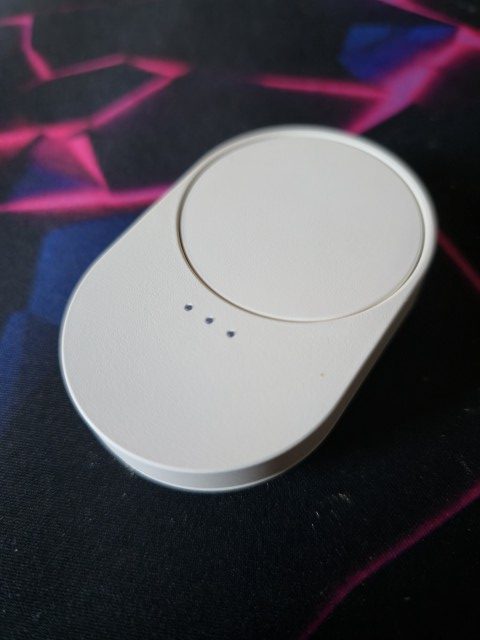
- Scroll? or Click? – you might want to be scrolling the wheel, but instead you find you are also clicking the button. Maybe it is just the two devices I have, but the resistance to pressing the scroll wheel is not that strong and I could see it easily succumbing to overuse.
- Physical confirmation – those satisfying clicks that tell you you’ve moved one discrete step, giving your fingers confirmation that your input has registered without needing to look at a screen.
- Tactile resistance that scales with the range you’re controlling – so that sweeping from 10% to 100% feels deliberate and proportional, not like spinning a frictionless wheel of fortune.
- Clear start and end stops – hard mechanical limits so you instinctively know when you’ve hit 0% or 100%, preventing the frustrating experience of blindly over-spinning past your target.
The BILRESA has none of these. The wheel spins freely with near-zero haptic feedback – no detents, no resistance curve, no end stops. From an engineering standpoint, this isn’t a scroll wheel so much as a continuous rotary sensor wrapped in plastic. There is no tactile language being communicated to your fingers at all. In practice, you rotate it and hope something happens – and half the time, you’re not sure if you’ve turned the lights up, down, or triggered something entirely unintended. In a dimly lit room, reaching for this remote and blindly twisting is an exercise in frustration.
But it Paired First Time
On the plus side, I suppose, the connection into the home network was pretty much a case of “click [the batteries in] and connect” and if you are connecting new IKEA Matter devices to your Dirigera hub then I have one piece of advice:
Open your app before starting the process of putting the batteries in.
Now as you know I have a number of legacy connections that I simply imported into Home Assistant last year. Both myself and the good lady wife still have the IKEA Home Smart app installed on our Android phones. When I decided to bring in some Kajplats colour bulbs, I also added the Dirigera Home Assistant integration. It is a GitHub link, I know, but it is also available in HACS. That now sits alongside the Matter integration, which means I now have pretty much every Matter device listed twice. I have set a task to go through and tidy that up…. probably moving everything to Dirigera.
ANNNNNYWAY – When I fired up the IKEA Home Smart app first and then put the batteries into the remote, the system immediately saw it and offered to pair. No press the reset button four times and wait for the flash to be this specific sequence or anything. For security I assume, it did also prompt me to scan or type in the Matter code which IKEA helpfully include on the instruction booklet in the box.
A Remote With an Identity Crisis
So is the BILRESA a dimmer? A media controller? A general smart home remote? I do not think IKEA has really decided, and neither has the device. The scroll wheel could work brilliantly for one use case and terribly for others if I thought I would not immediately also press the button – but without physical buttons to anchor different actions, you’re left with a single-trick pony that doesn’t even perform its one trick consistently.
There Are Better Options – Even From IKEA
If you want a solid, reliable IKEA remote, the STYRBAR is right there in the same range. Four proper buttons, satisfying tactile clicks, clear labelling, and Zigbee reliability that just works without any drama. My family can pick it up and use it without being briefed first.
Guess what though? it’s being discontinued and if your local store has stock – I would grab them now!
Step outside the IKEA ecosystem entirely and the likes of Aqara and Sonoff will give you even more control with clean event handling in Home Assistant, at a similar price. The BILRESA makes both of those options look very attractive indeed.
Who Is This Actually For?
That’s the question I keep coming back to. It’s too simple for power users who want reliable automation triggers. It’s too unreliable for casual users who just want something that works. And at its price point, there are better alternatives in every direction – whether that’s a proper Zigbee remote, a Philips Hue button, or even another IKEA product like the STYRBAR.
The BILRESA feels like a concept that made it to the shelves before anyone asked real users to test it. For IKEA, a company that usually gets the balance of simplicity and functionality just right, that’s a real disappointment.